Управление на проект и приложение
Версия от 04:27, 1 март 2018 на Dyst BG (беседа | приноси) (→Създаване на нови проекти и отваряне на съществуващи проекти)
| Продукт | InstalSystem 5 |
| Вид статия | FUNCTION AND TOOL |
| Актуално съдържание за версия | IS 5.0 Beta 26 |
Описание
Тази статия описва управлението на проекти с помощта на мениджъра на инсталационната система. Той също така показва как да се отварят и създават проекти в различни версии на програми в зависимост от нуждите на потребителя.
Местоположение в програма
Създаване на нови проекти и отваряне на съществуващи проекти
- Създаване на нов проект / Отваряне на съществуващ проект е достъпен в прозореца InstalSystem 5 Manager:
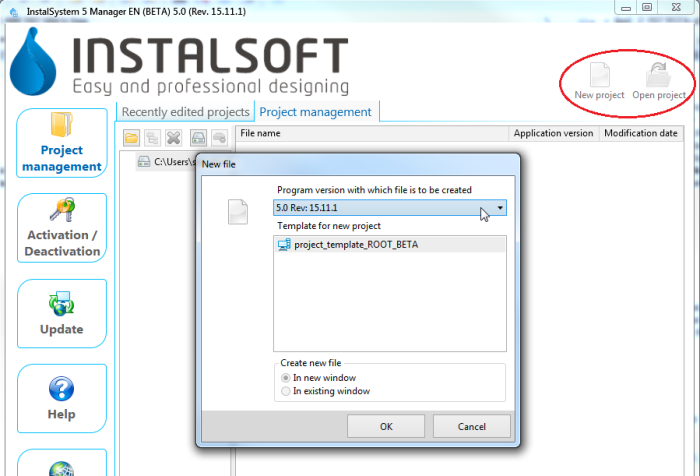
1. Нов проект/отвори проект в InstalSystem 5 Manager и в InstalSystem 5 редактор:
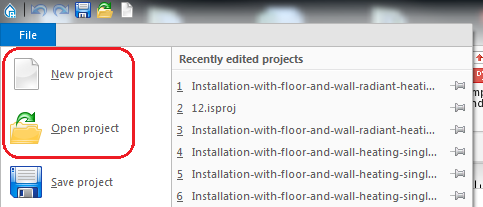
2. Нов проект/отвори проект в InstalSystem 5 Editor


Управление на файлове на проекта и допълнителни файлове
- Списъкът с наскоро редактираните проекти е достъпен през прозореца InstalSystem 5 Manager :
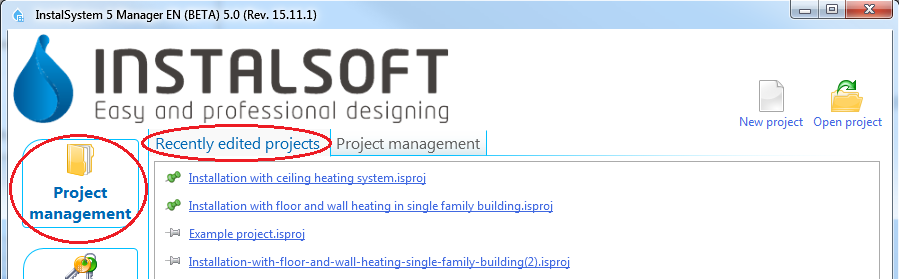
3. Последно редактирани проекти в InstalSystem 5 Manager
и в InstalSystem 5 редактор.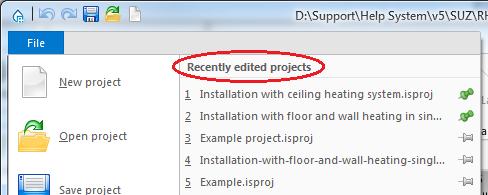
4. Последно редактирани проекти в InstalSystem 5 редактор - Управлението на проекта е достъпно в лента Project Management на прозореца InstalSystem Manager 5:
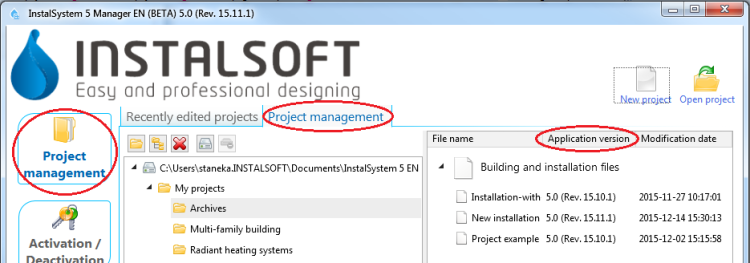
5. Управление на проекта в InstalSystem 5 Manager


Examples of use
Creating new projects and openining existing projects
- New project - when creating a new project it is possible to indicate one of the downloaded subversions of the program. The most recent subversion is indicated by default. When a new file is created, a template can be selected for use in the project.
За повече информация, моля вижте: Template files. - Existing file - when opening an existing project file, a program subversion can be selected to be used for further file processing. This enables carrying on the project using the program version with which the project was created.
The InstalSystem 5 package also enables loading files created with InstalSystem 4.
Managing project files and additional files
- Recently edited projects - this list is created automatically, it facilitates access to recently edited files, irrespective of their location.
Selected projects can be placed at the top of the list irrespective of the date of the most recent processing. This is done with the use of a tack - clicking the pin beside the selected project makes it stay on the top of the list
  .
. - Project management - When installing the program, default location for projects can be selected. It is recommended that each project (object being designed) has a dedicated subfolder where the various InstalSystem project versions (files with .isproj extension) and other additional files, e.g. base drawings used, will be stored. Another advantage is that the package version with which the file was developed is displayed for .isproj files.

