Таблица на колектор enables presenting on plans, in a neat and compact tabular fashion, the parameters of Колектори and of its accessories.
Four predefined templates are available. The user can also specify the amount of information displayed in columns and rows and save such configuration as a user-defined template to be used in future projects.
Местоположение в програмата
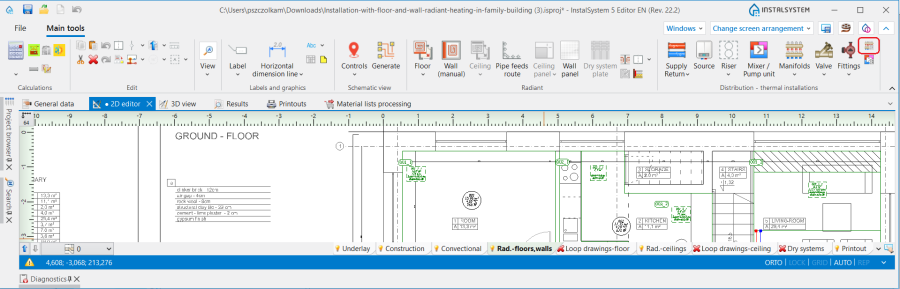
Таблица на колектор is available in the Разпределение - отоплителни инсталации section on the Главни ленти с инструменти bar.
1. Таблица на колектор
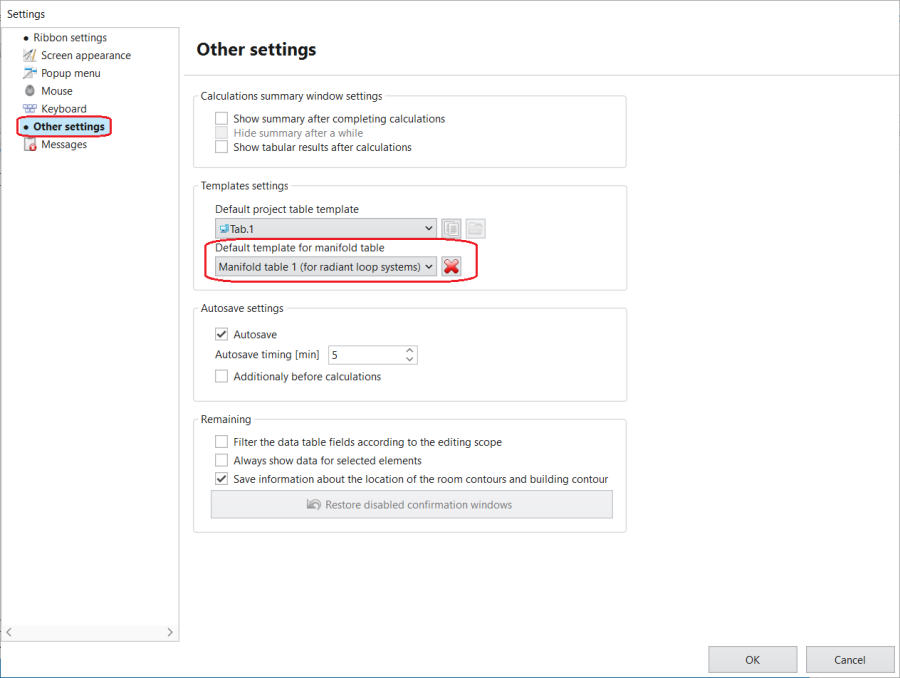
Indicating the default template for Таблица на колектор
The Шаблон за таблица с колектори по подразбиране is in the Настройки window, section Други настройки.
2. Selecting the default template of Manifold table
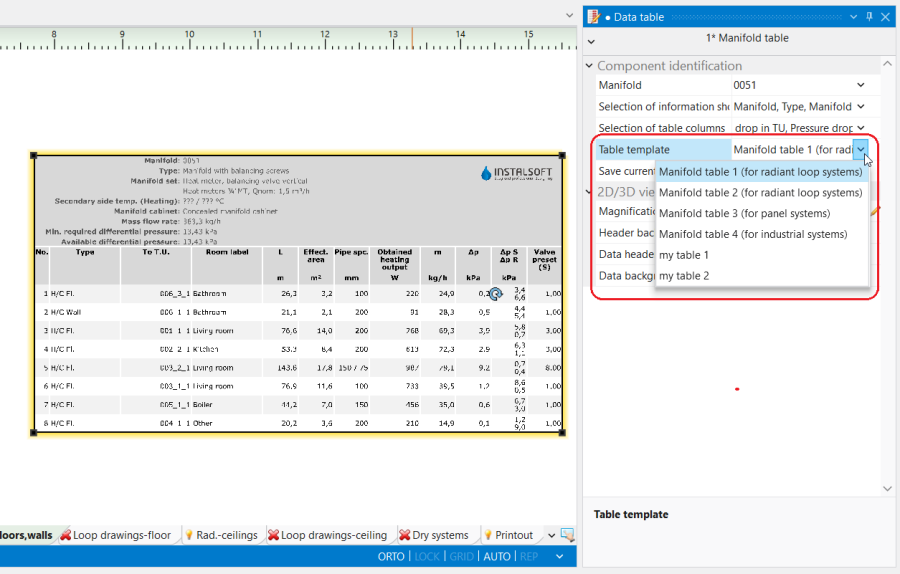
Changing the default Таблица на колектор template for another in the Таблица с данни window
A template can be selected in the Табличен шаблон list from among predefined and user-defined templates.
3. Selecting a Manifold table template for the indicated component
Example of use
Inserting a Таблица на колектор into the design from the Разпределение - отоплителни инсталации toolbar.
Setting the visibility of the rows in the header of the table and the columns in its lower part.
Saving a user-defined Таблица на колектор template.
Selectting a new default Таблица на колектор template in program settings.
Additional information
The template created by the user includes information on the columns and rows displayed in the header of the Таблица на колектор, while the colour settings are not saved.
Editing of the Таблица на колектор is possible within the following scopes: