Антетка на чертежа
Направо към навигацията
Направо към търсенето
| Продукт | InstalSystem 5 |
| Вид статия | ФУНКЦИОНАЛНОСТИ |
| Актуално съдържание за версия | 2019-09-27 |
Описание
Content of Антетка на чертежа:
- Content can come from:
- selected window fields from Общи данни, e.g.:
- Проект,
- Възложител,
- Проектант.
- from Data table of Антетка на чертежа, e.g.:
- Scale,
- Designer,
- Drawn by,
- Verified by,
- from an external source, e.g:
- graphic file - Logo.
- selected window fields from Общи данни, e.g.:
Layout table comes from one of available templates in program. Template selection is made in Data table.
User can create his own template and save it in program templates (example location: C:\Users\<user>\Documents\InstalSystem 5 EN\AppWindowSettings\Templates).
Base file for creating your own template for Антетка на чертежа is standard Microsoft Excel *.xlsx file (xls format is not supported).
Range of data include when converting to Data table:
- external and internal edges of table,
- text style,
- cell formatting.
Местоположение в програмата
Selection default template of Drawing chart for program
- Settings of Проектно-табличен шаблон по подразбиране is available in window Настройки in section Други настройки.
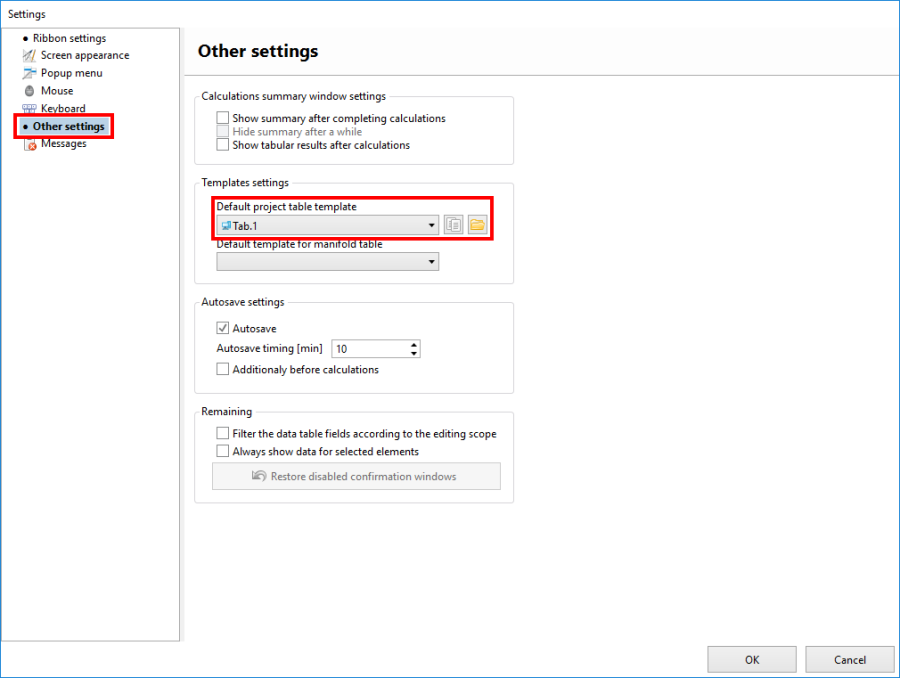
1. Selection default template of Drawing chart for program

Selection predefined template of Drawing chart for project
- Template selection is available in window Data table in field Табличен шаблон.
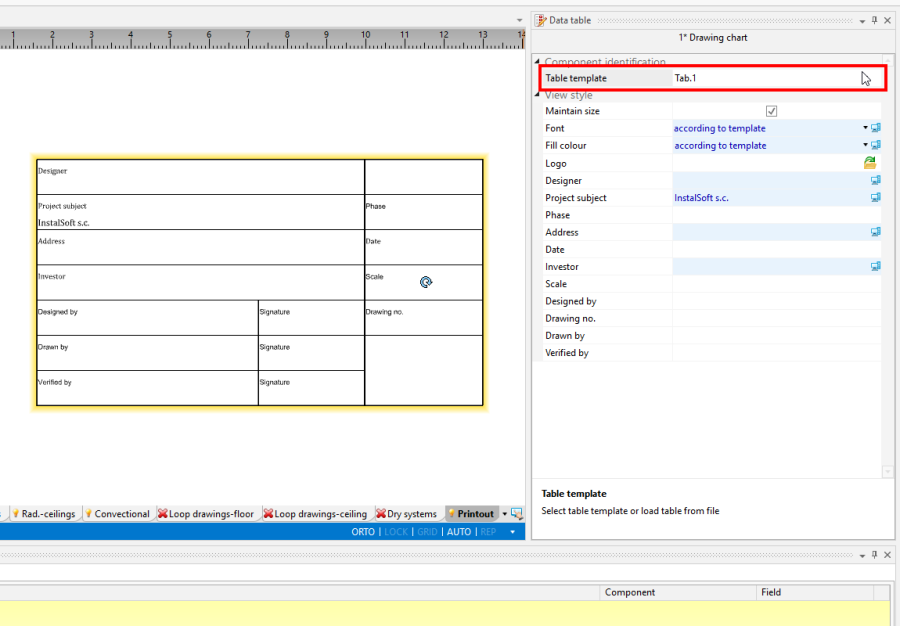
2. Selection default template of Drawing chart for project

Selection own template of Drawing chart for project
- Selection own template is available in window Data table from list in field Табличен шаблон.
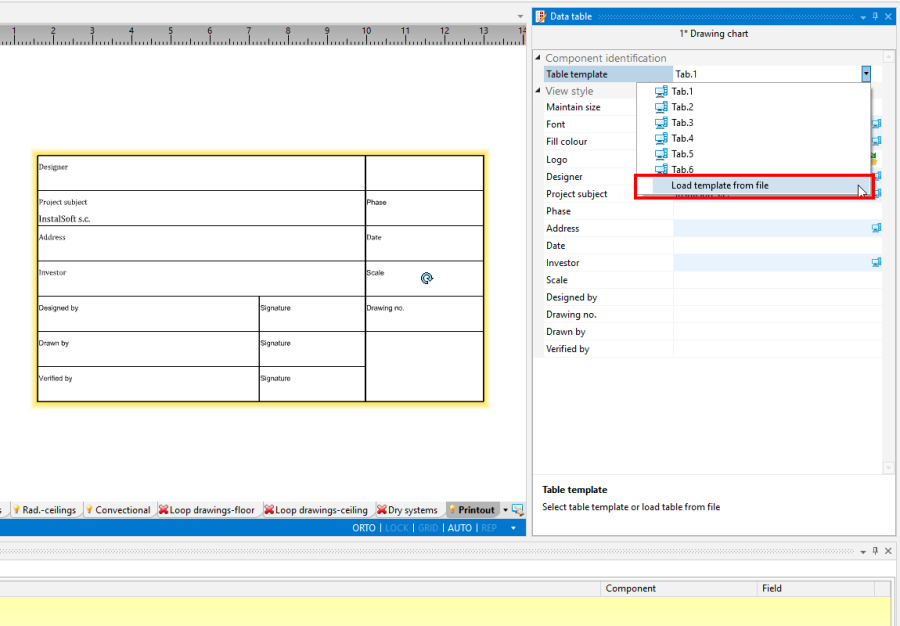
3. Selection own template of Drawing chart for project

Example of use
Creating own element template Антетка на чертежа.
- Creating general appearance with division into individual fields with selection of external and internal edge tables.
The goal is define a table template with such structure of fields: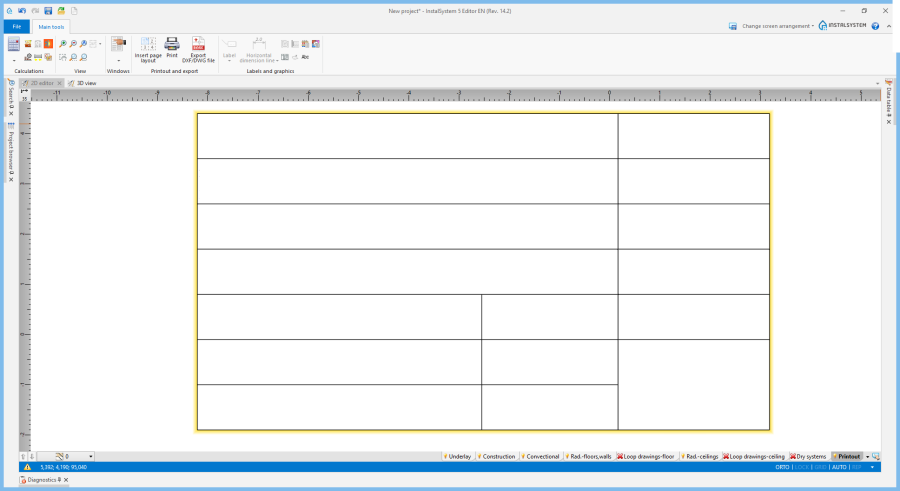
4. Selection predefined template of Drawing chart for project - Define text boxes for element Антетка на чертежа.
- Single field in Антетка на чертежа should be made from two cells in *.xlsx file:
- field title in Антетка на чертежа - here should be enter text in cell directly,
- content of field filled in Антетка на чертежа - here should be enter text, but as a comment to cell.
- Single field in Антетка на чертежа should be made from two cells in *.xlsx file:
- Defining element fields of Антетка на чертежа download information automatically from Общи данни.
Defining these fields looks like in movie above, but with difference that in title field should be entered strictly specified ID field from field in General data.
List of IDs and their form are below the movie and to avoid confusion, it is recommended to paste ID fields into cells using this list below.

- Construction of IDs:
- #<Single ID field>#
- #Project info ID>.<ID field>#
- Construction of IDs must be performed in PL language at this moment
- ID fields from Общи данни:
- Single ID field - [transl. EN] - specifying a single field (only for project):
- NumerProjektu - [Номер на проекта]
- WersjaProjektu - [Версия на проекта]
- Project info ID - [transl. EN] - defining from which Project info ID, data should be downloaded:
- Projekt - [Проект]
- Inwestor - [Възложител]
- Projektant - [Проектант]
- ID field - [transl. EN] - defining field from specific Project info ID (for project, investor or designer):
- Opis - [Име]
- Ulica - [Улица]
- Kod - [Пощ. код]
- Miasto - [Град]
- StanRegion - [Държава / Област]
- Kraj - [Държава]
- Tel - [Телефон]
- Fax - [Факс]
- WWW - [www]
- Email - [ел. поща]
- NIP - [ДДС номер]
- Komentarz - [Коментар]
- Examples of field definitions from template in *.xlsx file:
- #NumerProjektu#
- #Projektant.Opis#
- #Inwestor.Opis#
- #Inwestor.Fax#
- #Projektant.Email#
- Single ID field - [transl. EN] - specifying a single field (only for project):
Change appearance and formatting of table fields in template.
- Fonts and formatting fields in project table can be changed from Data table.
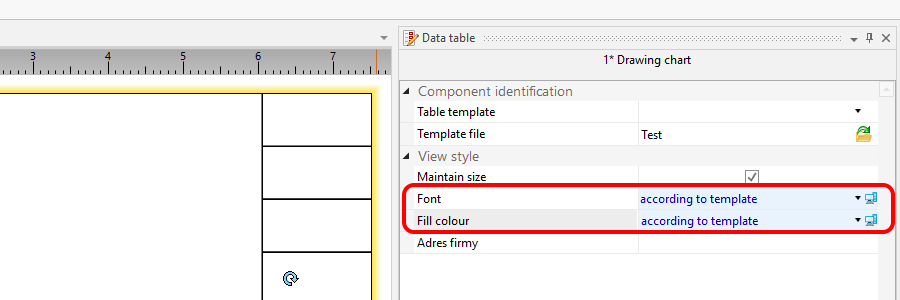
5. Change appearance and formatting of table fields in template.

Setting your template of Антетка на чертежа as default for program.
Insert your template of Антетка на чертежа to project.
- Incorrectly created template of Антетка на чертежа or an attempt of loading incorrect format is signaled by diagnostic message:
- Грешка при четене на файл %s - грешен формат или съдържание.