Как да съкратим времето за изчисление?
| Продукт | InstalSystem 5 |
| Вид статия | TIP&TRICK |
| Актуално съдържание за версия | 2021-12-08 |
Problem description
In the case of elaborate projects the time of completing calculations for all active calculation modules can extend to several tens of seconds or even several minutes. However, it is possible to control what scope of the project is being calculated and what actions are to be performed by the program during their duration.
Solution
Running selected calculations only
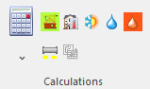
Clicking the  button results in all project scopes being calculated by default. The calculation time can be shortened by doing one of the following:
- Disabling indicated calculation scopes by unchecking checkboxes adjacent to the relevant module icons upon expanding the
 button.
 Топлинни изчисления на сграда
 Изчисление на сградна конструкция
 Calculations of Отоплителни и охладителни системи
 Calculations of Водоснабдителни инсталации
 Calculations of Канализационни инсталации
- Running calculations of a selected project scope only by clicking the relevant icon
- Excluding selected modules from the project scope in the Общи данни window


За повече информация, моля вижте: Calculations and diagnostics
Change program settings
Do not enable automatic switching to the Резултати window after completing calculations. This will reduce the calculations time by the time needed for switching to the Резултати and for refreshing the printout.

Disabling the 3D window
When working on a less powerful graphics card, the calculation time, which also includes the time necessary for refreshing of the drawing of the building model and the installation after calculation, may be reduced noticeably after disabling the 3D изглед window.

Disabling the Създай чертежи със сключени вериги (кръгове) function
This applies to the Лъчисти системи module. If loop drawings are not required or if they have already been generated and satisfactory results have been obtained, their generation can be disabled as described in:
За повече информация, моля вижте: Manual editing of loop drawings.

Disabling automatic division of Отоплителна/Охладителна зона and drawing of pipe feeds
This applies to the Лъчисти системи module. Due to the need to take into account many parameters, the algorithm for dividing the Отоплителна/Охладителна зона and drawing the pipe feeds can considerably increase the project calculation time of the Отоплителни и охладителни системи. When satisfactory results (flow, thermal and graphical) are obtained, these algorithms can be disabled.
За повече информация, моля вижте: Dividing a Heating/Cooling Zone into Heating-cooling surface components
Other
If various pipe and fitting systems are used in a project, the sizing of connections between the systems may take longer during the first calculation of the project.