Проектиране с работен файл от InstalSystem 4
| Продукт | InstalSystem 5 |
| Вид статия | FUNCTION AND TOOL |
| Актуално съдържание за версия | Version BETA 3B.1 |
Описание
Статията обяснява как да продължите в InstalSystem 5, за да:
- отворете проектния файл от InstalSystem 4 (формат ISB),
- решаване на проблеми, възникнали при отварянето на файл.
Местоположение в програмата
Отваряне на проектни файлове InstalSystem 4 в среда InstalSystem 5 може да бъде ефектирано от функция Отвори файл в двете InstalSystem 5 манаджер както и в InstalSystem 5 редактор.
Example of use
Opening an ISB format project
The program always opens an ISB project file in the most recent installed version of InstalSystem 5.
Range of imported data and components
- Range of imported data and components supported by InstalSystem 5.
- Общи данни - the individual data are transferred to corresponding fields in InstalSystem 5,
- building structure components: storeys, walls, floors and related components (window, door, opening in wall), rooms, etc.,
- system components: heating surfaces, manifolds, pipe-runs, pipe feeds, remote connections, sources, fittings, stacks, mixers, valves, radiators, units of specified flow resistance, expansion joints, etc.,
- component data converted into corresponding component data in InstalSystem 5,
- component data required for thermal calculations of the building, including:
- standards and calculation options,
- definitions of thermal partitions (partition structures),
- general data of the building and of the building units,
- room data (ventilation parameters, heated/non-heated, design temperature),
- descriptive components and printout components: labels, tables, etc.
- Data and components not imported to InstalSystem 5.
- worksheets of the Developed view type,
- data fields of components not present in InstalSystem 5,
- underlays (base drawings) generated by Комбинирай сканиран файл,
- components: 3-way valve; 4-way valve; mixer of the type 2 valves, pump on mixer,
- logical partitions (tabular and graphical),
- system components within unsupported calculation scopes and applications,
- components created in a worksheet of the Developed view type.
Verification of diagnostic messages after opening a file
- Verification of diagnostics on unsupported calculation scopes.
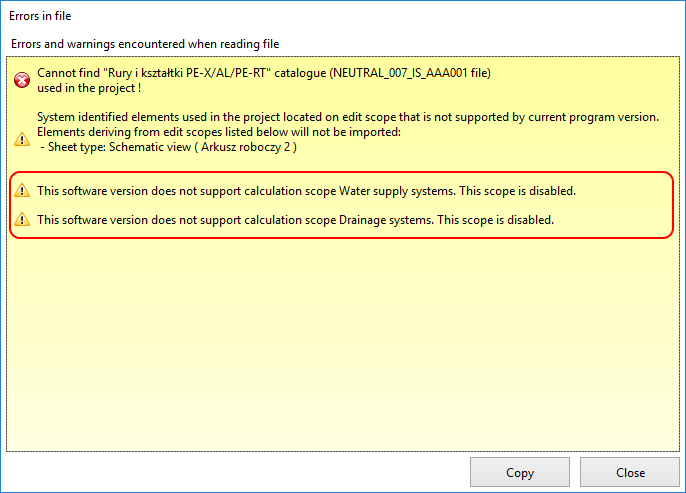
1. Unsupported calculation scopes - Verification of diagnostics on missing catalogues.
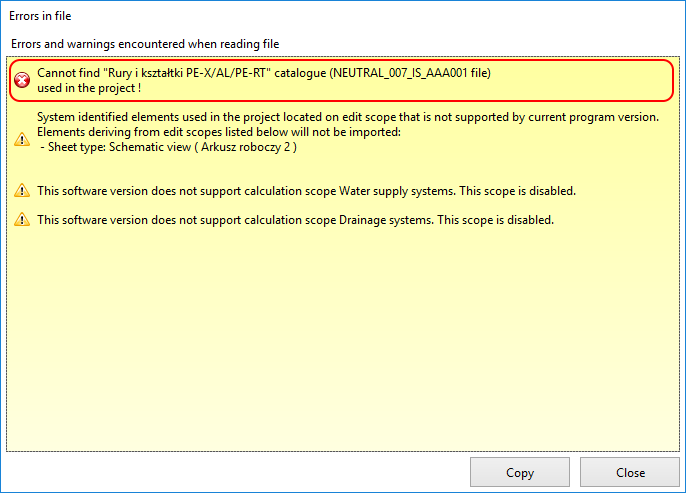
2. Missing catalogues - Verification of diagnostics on data and components not imported.
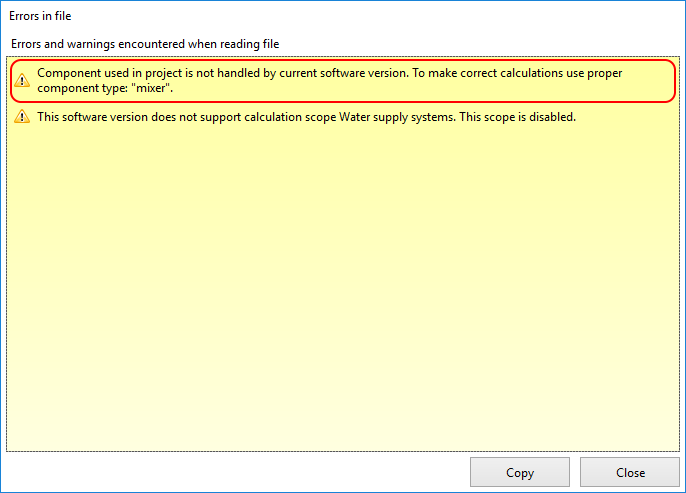
3. Data and components not imported - Verification of diagnostics on imported unsupported data and components.
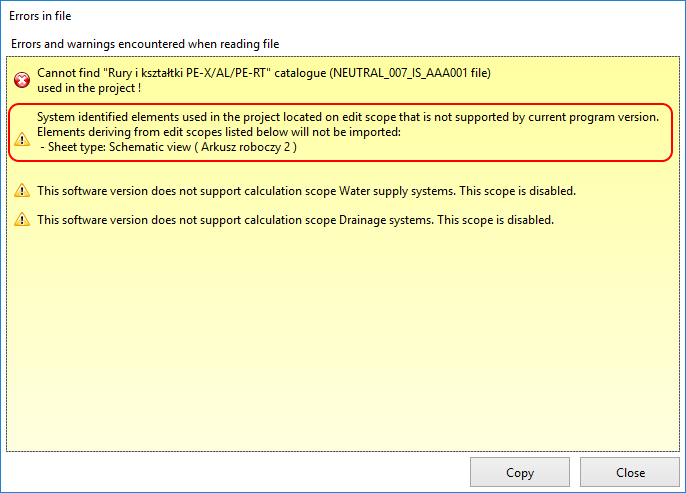
4. Unsupported data and components


Verification of data and components after open file
Some data have a  status, indicating that the value is set.
- Verification in the Общи данни window, in particular:
- Проектна информация,
- enabled expected Обхват на изчисление,
- Каталози used in the project,
- Selected components from Разпределителна система:
- Видове и данни по подразбиране,
- Опции за оразмеряване на тръба и изолация.
- Лъчисти системи:
- Подови системи.
- Verification of building structure.
- existence of building structure components: storeys, rooms, walls, horizontal partitions, windows, doors,
- wall parameters (thickness) and window/door parameters (dimensions) in relation to source file,
- verification using 3D изглед and in Общи данни / Управление на етажи:
- proper mutual orientation of storeys,
- proper display of associated components (windows, doors) and location thereof as in source file,
- areas occupied by rooms are identical with those in source file,
- rooms do not match,
- multi-storey rooms are as expected.
- Verification of service systems.
- heating surfaces - automatically converted into Отоплителна/Охладителна зона,
- manifolds - Колекторен вентил is set to Друг,
- pipe-runs and feed pipes,
- mixers - withdrawal of mixer of the 2 valves, pumps on mixer creates discontinuities in the system,
- units of set flow resistance,
- Дистанционна връзка - lack of support of Developed view creates discontinuities in the system,
- stacks,
- sources.
- Verification of component appearance.
- graphical style,
- appearance and contents of labels.
Verification of data after opening file with data for calculating thermal load of building
- Verification of building structure.
- Verification of room data.
- verify in H&E accordance of room data with source file:
- Type,
- Symbol,
- Method of calculating Phi,
- Theta_i,H,
- Status: heated/not heated,
- assignment to Сградна единица,
- data in frame Вентилация за топлинна загуба
- verify in H&E accordance of room data with source file:
- Verification of logical partitions.
- rooms have logical partitions - verify in H&E and in Проектен браузър within the H&E scope.
- Verification of partition data.
- verify in Проектен браузър within the H&E scope the existence of partition definitions - cooling partitions InstalSystem 4 with properties specified directly in the room table (with no definition applied) automatically generate in InstalSystem 5 appropriate definitions.
Appending data and components after open file
After verifying diagnostic messages, data and components, to continue working with InstalSystem 5 it may be necessary to:
- append and adjust remote connections due to lack of imported worksheets of the Developed view type,
- append service systems with unimported components that are necessary to continue working with the project,
- replace components that are not imported with equivalent components available in InstalSystem 5,
- append the building structure with missing components,
- launch Изчисление на сградна конструкция to generate logical partitions required for Топлинни изчисления на сграда,
- reinstate lost assignments of partition definitions to logical partitions.