Проектиране с работен файл от InstalSystem 4
| Продукт | InstalSystem 5 |
| Вид статия | FUNCTION AND TOOL |
| Актуално съдържание за версия | Version BETA 3B.1 |
Описание
Статията обяснява как да продължите в InstalSystem 5, за да:
- отворете проектния файл от InstalSystem 4 (формат ISB),
- решаване на проблеми, възникнали при отварянето на файл.
Местоположение в програмата
Отваряне на проектни файлове InstalSystem 4 в среда InstalSystem 5 може да бъде ефектирано от функция Отвори файл в двете InstalSystem 5 манаджер както и в InstalSystem 5 редактор.
Пример за използване
Отваряне на проект във формат ISB
Програмата винаги отваря ISB проект в последната инсталирана версия на InstalSystem 5.
Обхват на импортираните данни и елементи
- Обхват на внесените данни и елементи, поддържани от InstalSystem 5.
- Общи данни - отделните данни се прехвърлят в съответните полета в InstalSystem 5,
- елементи на сградата: етажи, стени, подове и свързани елементи (прозорец, врата, отваряне в стена), помещения и др.,
- системни елементи: нагревателни повърхности, колектори, клонове, тръбопроводи, дистанционни връзки, източници, фитинги, купчини, смесители, вентили, радиатори, блокове със специфично съпротивление на потока, разширителни фуги и др.,
- данни на елементи, преобразувани в съответните данни на елементи в InstalSystem 5,
- данни на елементи, необходими за топлинни изчисления на сградата, включително:
- стандарти и опции за изчисление,
- дефиниции на топлинни прегради (конструкции и прегради),
- общи данни за сградата и за сградни единици,
- данни на помещение (параметри на вентилацията, отопление / неотпляеми, проектна температура),
- описателни елементи и елементи за печат: етикети, таблици и др.
- Данни и елементи, които не са импортирани InstalSystem 5.
- работен лист от вида "Разработен изглед",
- data fields of components not present in InstalSystem 5,
- underlays (base drawings) generated by Комбинирай сканиран файл,
- components: 3-way valve; 4-way valve; mixer of the type 2 valves, pump on mixer,
- logical partitions (tabular and graphical),
- system components within unsupported calculation scopes and applications,
- components created in a worksheet of the Developed view type.
Verification of diagnostic messages after opening a file
- Verification of diagnostics on unsupported calculation scopes.
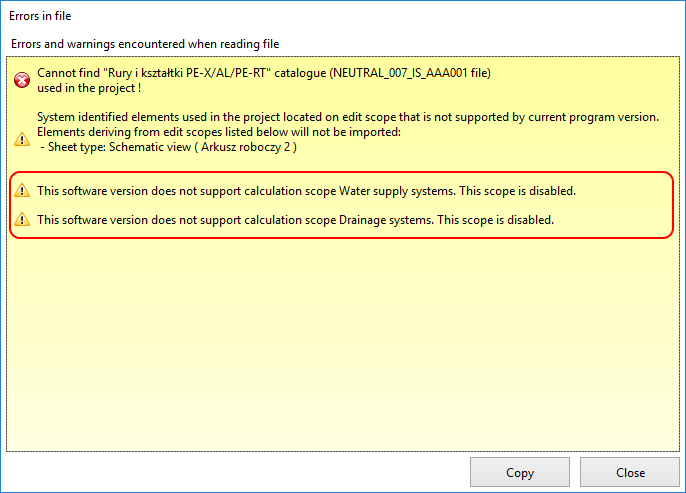
1. Unsupported calculation scopes - Verification of diagnostics on missing catalogues.
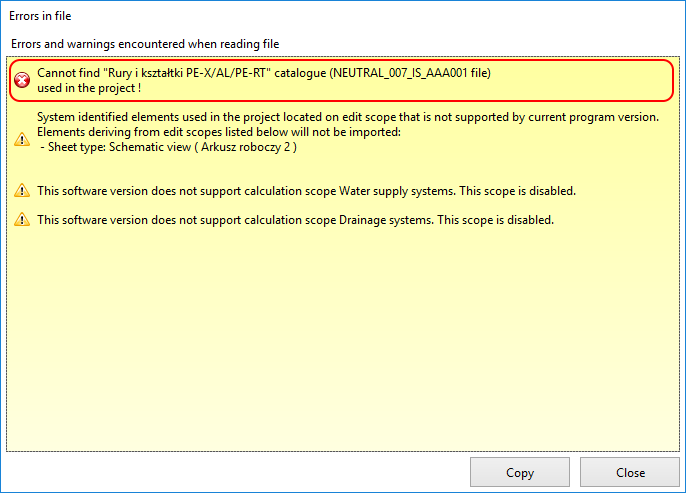
2. Missing catalogues - Verification of diagnostics on data and components not imported.
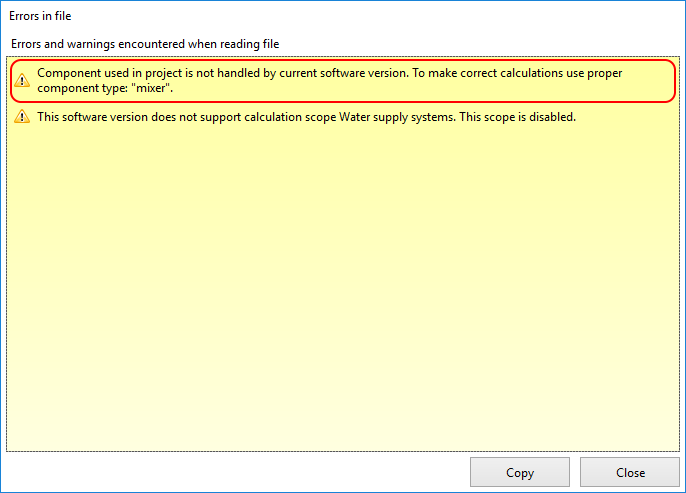
3. Data and components not imported - Verification of diagnostics on imported unsupported data and components.
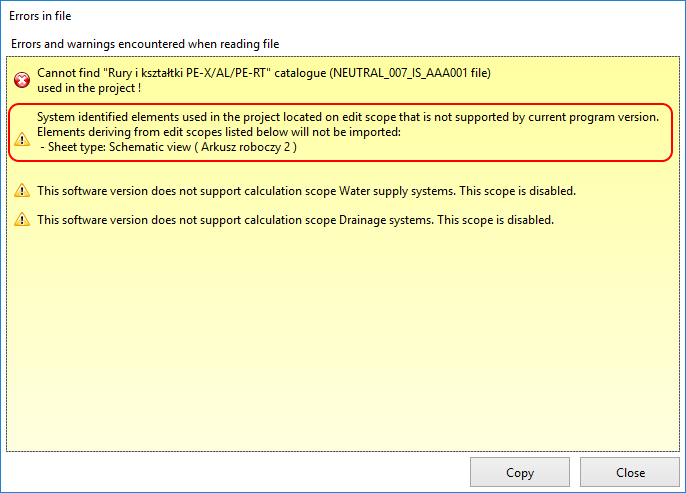
4. Unsupported data and components


Verification of data and components after open file
Some data have a  status, indicating that the value is set.
- Verification in the Общи данни window, in particular:
- Проектна информация,
- enabled expected Обхват на изчисление,
- Каталози used in the project,
- Selected components from Разпределителна система:
- Видове и данни по подразбиране,
- Опции за оразмеряване на тръба и изолация.
- Лъчисти системи:
- Подови системи.
- Verification of building structure.
- existence of building structure components: storeys, rooms, walls, horizontal partitions, windows, doors,
- wall parameters (thickness) and window/door parameters (dimensions) in relation to source file,
- verification using 3D изглед and in Общи данни / Управление на етажи:
- proper mutual orientation of storeys,
- proper display of associated components (windows, doors) and location thereof as in source file,
- areas occupied by rooms are identical with those in source file,
- rooms do not match,
- multi-storey rooms are as expected.
- Verification of service systems.
- heating surfaces - automatically converted into Отоплителна/Охладителна зона,
- manifolds - Колекторен вентил is set to Друг,
- pipe-runs and feed pipes,
- mixers - withdrawal of mixer of the 2 valves, pumps on mixer creates discontinuities in the system,
- units of set flow resistance,
- Дистанционна връзка - lack of support of Developed view creates discontinuities in the system,
- stacks,
- sources.
- Verification of component appearance.
- graphical style,
- appearance and contents of labels.
Verification of data after opening file with data for calculating thermal load of building
- Verification of building structure.
- Verification of room data.
- verify in H&E accordance of room data with source file:
- Type,
- Symbol,
- Method of calculating Phi,
- Theta_i,H,
- Status: heated/not heated,
- assignment to Сградна единица,
- data in frame Вентилация за топлинна загуба
- verify in H&E accordance of room data with source file:
- Verification of logical partitions.
- rooms have logical partitions - verify in H&E and in Проектен браузър within the H&E scope.
- Verification of partition data.
- verify in Проектен браузър within the H&E scope the existence of partition definitions - cooling partitions InstalSystem 4 with properties specified directly in the room table (with no definition applied) automatically generate in InstalSystem 5 appropriate definitions.
Appending data and components after open file
After verifying diagnostic messages, data and components, to continue working with InstalSystem 5 it may be necessary to:
- append and adjust remote connections due to lack of imported worksheets of the Developed view type,
- append service systems with unimported components that are necessary to continue working with the project,
- replace components that are not imported with equivalent components available in InstalSystem 5,
- append the building structure with missing components,
- launch Изчисление на сградна конструкция to generate logical partitions required for Топлинни изчисления на сграда,
- reinstate lost assignments of partition definitions to logical partitions.