Износ/ печат на резултати и чертежи
| Продукт | InstalSystem 5 |
| Вид статия | FUNCTIONALITY |
| Актуално съдържание за версия | IS 5.0 Beta 22 |
Описание
Програмата позволява експортирането на чертежи и резултати в няколко файлови формати (JPG, PDF, DWG, XLS и много други) и отпечатването им. Експортирането в DWG / DXF файловете се осъществява чрез специална функция, докато експортирането до много други файлови формати се извършва с функции, използвани за печатане от принтер. Изисква се формата на отпечатване във файл с избран тип.
Location in the program
- The Износ към DXF/DWG файл function is available on the Главни ленти с инструменти bar when the Печат editing scope is enabled. The function enables exporting graphics from the project file to a DXF/DWG file.
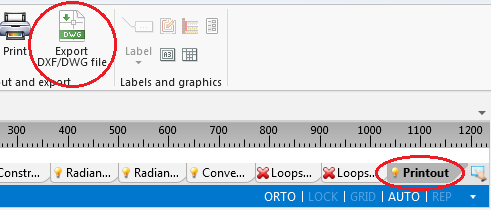
1. Износ към DXF/DWG файл - Outputting to a printer and to other file formats is effected in the Разпечатки window. The Печат function, available on the Главни ленти с инструменти bar when the Печат editing scope is enabled, switches the program to that window. Alternatively this can be done by calling this window from the Прозорци menu on the Главни ленти с инструменти bar.
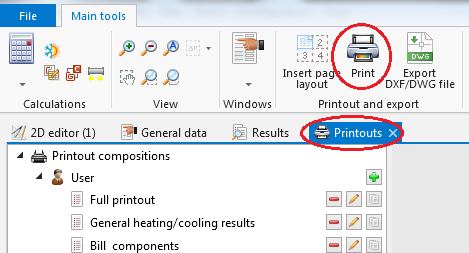
2. Печат - The Вмъкни рамка на чертеж icon, available on the Главни ленти с инструменти bar when the Печат editing scope is enabled, allows placing a Отпечатване на страници component in a drawing. Every such component in the project is a new definition of the scope of printout / export of graphics.
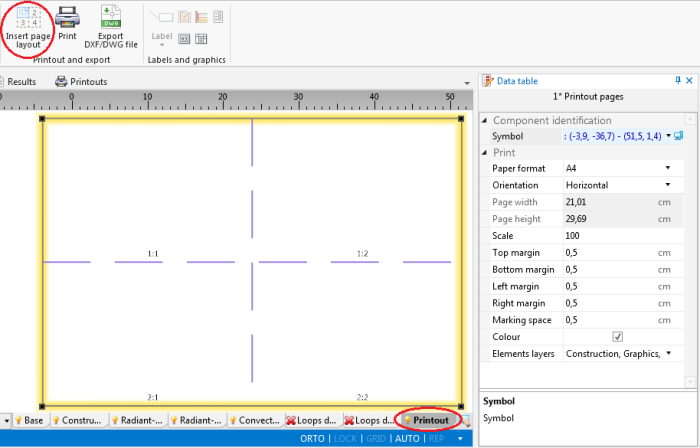
3. Вмъкни рамка на чертеж


Example of use
Exporting drawings to DWG format
Printing / exporting drawings to an XLS file
Printing / Exporting drawing of selected storey to a PDF file
Additional information
- When underlay drawing was imported with the Запиши подложен чертеж -> Във външен файл option and original location of the file is not available, the underlay layers cannot be exported. In such case, in order to have the underlay drawing included in the export or printout, it must be loaded again.
- User-defined and saved printout compositions, in addition to pre-defined compositions, will also be available in other projects.
За повече информация, моля вижте: Printout compositions.